Rapid Trigger & Magnetic Keyboards Tested: Real Competitive Edge or Marketing Placebo?
Do Hall Effect magnetic keyboards with Rapid Trigger give you a legitimate esports edge? We break down real-world latency benchmarks, firmware stability...


Table of Contents
- Placebo Effect or Genuine Competitive Edge in Tactical Shooters?
- Switch Kinematics: Eliminating the Fixed Reset Point
- Technical Benchmark: Flagships and Contenders Head-to-Head
- The Software Factor: Rock-Solid Firmware vs. Bloatware
- Polling Rate: Demystifying 8,000 Hz vs. 1,000 Hz
- Pros, Cons, and Buyer Profiles: Should You Upgrade?
- Verified Strengths (✅)
- Real-World Limitations & Friction (❌)
- Who Should Buy One?
- Who Should Wait or Keep Their Mechanical Board?
- Frequently Asked Questions
- Does Rapid Trigger improve your aim or just your movement?
- Does a magnetic keyboard feel different to type on compared to a standard mechanical?
- Does a budget magnetic keyboard offer the same competitive edge as a flagship?
- Sources
Release latency on a traditional mechanical keyboard hovers around 15 milliseconds. With Hall Effect magnetic switches and Rapid Trigger, that metric plummets below 2 milliseconds. That single figure captures the raging debate sweeping competitive esports today.
You watch Counter-Strike 2 and Valorant pros swapping their trusty mechanical keyboards for magnetic flagships. Marketing copy promises surgical stops and split-second counter-strafes. Meanwhile, your conventional board still feels great and cost a fraction of the price. The hesitation makes complete sense: are you investing in a verified competitive leap, or simply swallowing an inflated marketing pitch?
The numbers don't lie, but manufacturer marketing sure does. Here are the hard, verified facts: swapping bent copper contact leaves for electromagnetic Hall Effect sensors physically slashes the time a switch takes to register that your finger let go. In a tactical shooter where stopping your momentum a split second earlier determines whether your bullet lands on a target's head or wide into the wall, that advantage is backed by raw bench data.
That said, a millimeter-precise sensor won't turn you into an aim god if the companion software eats up your CPU cycles, or if hair-trigger actuation wrecks your everyday typing with accidental ghost presses. Before pulling out your credit card, let me walk you through what independent benchmarks actually reveal about today's benchmark boards—and whether this tech leap justifies your hard-earned cash.
Placebo Effect or Genuine Competitive Edge in Tactical Shooters?
For more than four decades, mechanical keyboards have relied on the exact same physical principle: two stamped copper leaves colliding inside a plastic housing to close an electrical circuit. When you press down a standard switch—like a classic Cherry MX Red—the PCB registers the keypress after roughly 2.0 mm of downward travel.
The physical bottleneck of mechanical switches has never been pressing down; it has always been letting go and resetting. When those metal leaves separate, they physically vibrate for a brief moment. Electrical engineers call this phenomenon contact bounce. To stop your board from registering multiple ghost inputs in a single millisecond, keyboard controllers enforce an artificial software delay called debounce delay. That adds anywhere from 2 to 15 milliseconds of mandatory input lag to every single press and release cycle.
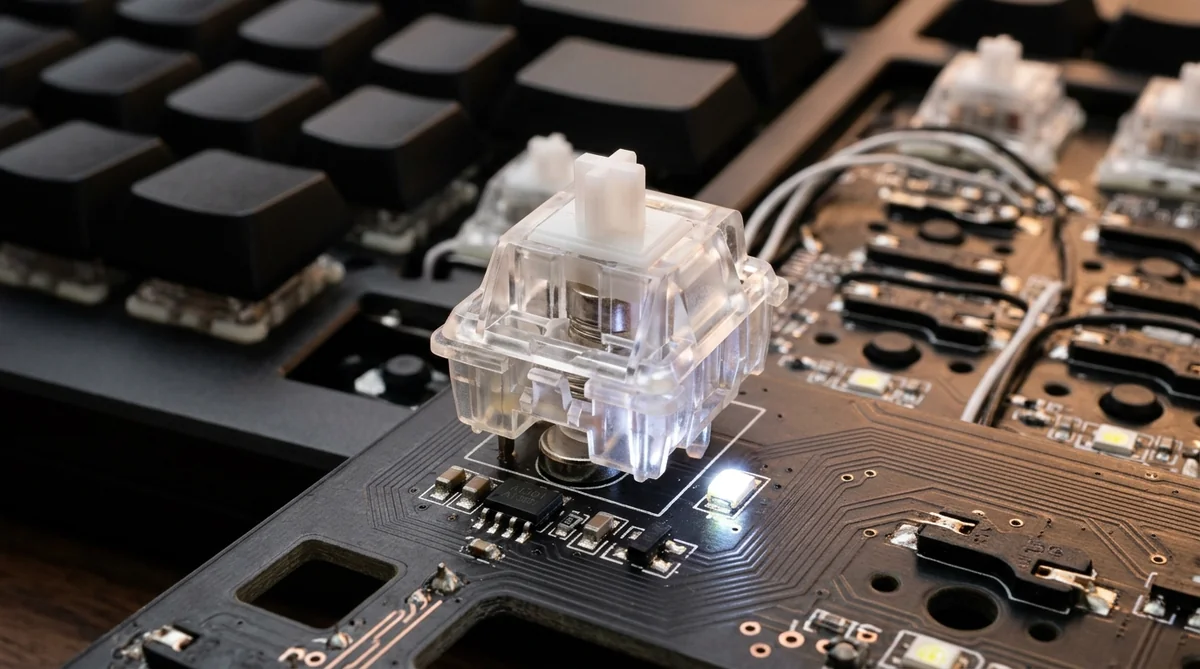
🎨 Conceptual reference illustration generated with AI. Does not represent the manufacturer's official design. 🎨 Reference conceptual render generated with AI. Does not represent official or final manufacturer hardware.
Hall Effect magnetic switches bypass this mechanical limit entirely by ditching physical contact points. Instead, a permanent neodymium magnet drops straight down toward the printed circuit board (PCB). There, an integrated electromagnetic sensor tracks continuous fluctuations in magnetic flux density and translates that physical proximity into analog voltage values.
With zero metal leaves colliding, debounce filtering drops straight to 0 ms at the circuit level. As documented in TechPowerUp's technical teardown on Hall Effect analog switches, eliminating colliding mechanical components allows continuous analog tracking throughout the stem's entire keystroke. That opens the door wide to dynamic reset algorithms.
Switch Kinematics: Eliminating the Fixed Reset Point
On a traditional mechanical switch, the key stem must travel back up past a fixed physical notch—a static reset point usually parked somewhere between 1.5 mm and 1.8 mm—before it will accept another command. Bottom out a standard 4.0 mm switch, and you have to wait for the internal spring to shove the stem back up over two millimeters before the contact cuts the signal.
Rapid Trigger obliterates that mechanical ceiling. Instead of waiting for a static coordinate, the keyboard's internal controller tracks the direction of movement in real time:
- Dynamic Deactivation on the First Millimeter: The instant the key stops moving downward and shifts upward by as little as 0.1 mm, the sensor registers the reversal and immediately cuts the input, regardless of whether you bottomed out or stopped midway.
- Instant Reactivation Mid-Stroke: If you change your mind during the key's upward travel and press down again, the switch re-engages the moment it detects a 0.1 mm downward dip—no need to wait for it to top out.
- Continuous Analog Processing: The onboard micro-controller samples voltage changes in microseconds, tracking stroke velocity to ensure clean cuts without accidental misfires.
In tactical shooters like Counter-Strike 2 and Valorant, this fundamentally changes counter-strafing. To achieve zero-spread accuracy, your in-game velocity must drop to an absolute standstill. If you are moving left with 'A' and need to stop on a dime to fire, you release 'A' and tap 'D'.
On a standard mechanical board, the time it takes 'A' to pass its reset point creates a 10 to 25 millisecond release latency window where your agent continues to drift across the map. With Rapid Trigger calibrated down to 0.1 mm, your character halts the moment you loosen finger pressure. Your crosshair stabilizes before a traditional mechanical spring can even finish pushing the stem back.

Technical Benchmark: Flagships and Contenders Head-to-Head
To measure how consistent this hardware behaves under real-world pressure, specialized test benches utilize servo-actuated physical probes and high-speed digital oscilloscopes. Rigorous laboratory testing by RTINGS on release latency and Rapid Trigger confirmed that release delay drops from 18 milliseconds on conventional mechanical boards to under 2 milliseconds on properly tuned magnetic hardware.
However, independent testing also confirms something marketing decks conveniently leave out: the raw performance difference between a well-built budget magnetic board and a high-end enthusiast model is practically imperceptible to human reaction times. What truly separates them is chassis rigidity, sensor stability across ambient temperature changes, and electromagnetic shielding on the PCB.
Here is how four of the most prominent contenders stack up:
| Model | Sensor Architecture | Actuation Range | Rapid Trigger Sensitivity | Polling Rate | Price Tier | Main Trade-off / Limitation |
|---|---|---|---|---|---|---|
| Wooting 60HE+ / 80HE | Magnetic Hall Effect (Lekker v2) | 0.1 mm to 4.0 mm | Adjustable to 0.1 mm | 1,000 Hz / 8,000 Hz | $$ (High Investment) | Utilitarian plastic chassis and stock keycaps; periodic waiting lists. |
| Razer Huntsman V3 Pro | Analog Optical Gen-2 | 0.1 mm to 4.0 mm | Adjustable to 0.1 mm | Native 8,000 Hz | $$ (High Investment) | Noticeably hollow, metallic acoustics; heavyweight background Synapse software. |
| SteelSeries Apex Pro Gen-3 | OmniPoint 3.0 HyperMagnetic | 0.1 mm to 4.0 mm | Adjustable to 0.1 mm | 1,000 Hz | $$ (High Investment) | Magnetic switches are only fitted on the main typing cluster, not across all keys. |
| DrunkDeer A75 / G65 | Linear Hall Effect Magnetic | 0.2 mm to 3.8 mm | Adjustable from 0.1 mm - 0.2 mm | 1,000 Hz | $ (Budget Entry) | Rattly stock stabilizers; basic barebones web configurator interface. |
💡 Consejo Pro
Smart Buyer Verdict: Never overpay chasing theoretical fractions of a millisecond your nervous system cannot register. If pure competitive movement advantage is all you care about, entry-level platforms ($) like DrunkDeer or MonsGeek deliver roughly 90% of the kinematic responsiveness of flagship boards. Step up to the premium bracket ($$) only if you demand zero-install browser configurators, custom aluminum cases, and dialed-in acoustics for daily typing.

The Software Factor: Rock-Solid Firmware vs. Bloatware
Having neodymium magnets and Hall Effect sensors soldered to your board means nothing if your microcontroller runs unstable firmware. Analog readouts are extremely sensitive: minor room temperature fluctuations, static build-up, or slight voltage drops along the USB bus will warp calculated distance values unless the firmware applies rock-solid mathematical smoothing.
That dynamic calibration separates an esports-ready input tool from a jittery board plagued by accidental inputs. As highlighted by PC Gamer's deep-dive into analog keyboard software, the actual user experience relies heavily on how lightweight and dependable the configuration suite is.
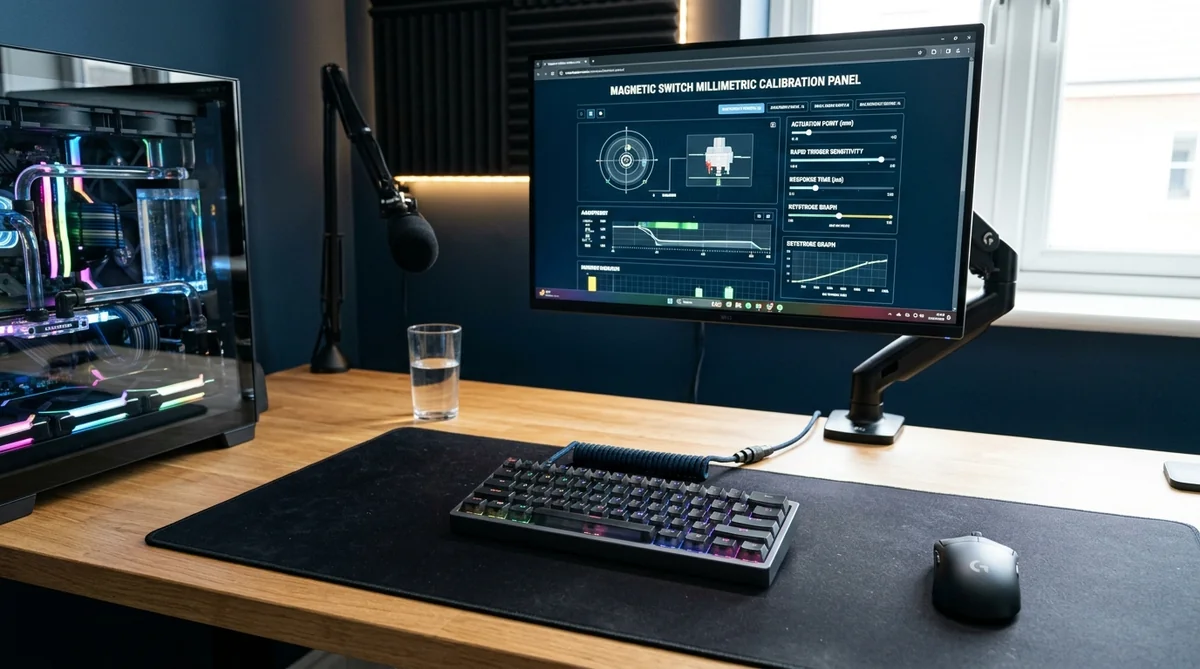
🎨 Conceptual reference illustration generated with AI. Does not represent the manufacturer's official design. 🎨 Reference conceptual render generated with AI. Does not represent official or final manufacturer hardware.
Two radically opposed design philosophies currently dominate the market:
- Zero-Install WebHID Configurators: Modern solutions like Wootility or web dashboards from brands like DrunkDeer's input architecture team open right inside any modern browser. You dial in switch sensitivity, write your profiles directly to onboard flash memory, and close the tab. Zero background processes eating CPU cycles or RAM.
- Heavyweight Desktop Suites (Bloatware): Legacy peripheral companies often force you to install hundreds of megabytes of background software. These programs run persistent telemetry services and background updaters, introducing micro-stutters into systems already pushed to their frame-rate limits.
Cheap or poorly tested firmware on analog switches manifests in frustrating ways: stems that refuse to register input cut-offs, actuation points that drift after prolonged gaming sessions warm up the board, or profiles that completely wipe out after a cold system reboot.
Polling Rate: Demystifying 8,000 Hz vs. 1,000 Hz
Hardware marketing teams have latched onto 8,000 Hz (8K) polling as their latest headline feature. A standard 1,000 Hz board updates the USB bus every 1.0 millisecond. An 8,000 Hz board checks in every 0.125 milliseconds.
$$\Delta t = 1.0\,\text{ms} - 0.125\,\text{ms} = 0.875\,\text{ms}$$
That theoretical reduction of 0.875 ms vanishes completely against average human reaction times (which sit between 150 and 250 milliseconds) and your monitor's panel refresh lag.
Over 90% of the snappiness players report comes from stripping out mechanical switch travel via Rapid Trigger (shaving 10 to 20 ms of physical motion), not from spamming the USB interface. Worse still, polling a keyboard at 8,000 Hz puts unnecessary strain on your CPU scheduler. In CPU-heavy titles like CS2, that can introduce noticeable frame drops in your 1% lows.
Pros, Cons, and Buyer Profiles: Should You Upgrade?
Magnetic switches aren't an industry gimmick; they represent the biggest structural leap in keyboard actuation in decades. In high-stakes tactical shooters, reading electromagnetic flux beats colliding copper strips every time. However, switching over comes with trade-offs that flashy ad campaigns conveniently leave out.
🎨 Conceptual reference illustration generated with AI. Does not represent the manufacturer's official design. 🎨 Reference conceptual render generated with AI. Does not represent official or final manufacturer hardware.
Verified Strengths (✅)
- Instant Deceleration on Release: Crisp, instantaneous stops in tactical shooters without debounce friction or dead travel.
- Full Granular Customization: You can map movement keys to an ultra-sensitive 0.2 mm while setting tactical abilities to 2.5 mm, eliminating high-stress accidental misclicks.
- Superior Physical Durability: With no physical contact points scraping together, you eliminate the oxidation, dust buildup, and leaf fatigue that eventually plague worn mechanical switches with double clicks.
- True Analog Control: The board tracks total stroke depth just like an analog controller trigger—great for driving titles or binding dual-action macros to a single key.
Real-World Limitations & Friction (❌)
- Prone to Typing Typos: If you leave your actuation calibrated to 0.2 mm or 0.5 mm for everyday writing, simply resting your fingers on the home row will trigger accidental keystrokes. You must switch to a daily typing profile with travel set between 1.8 mm and 2.0 mm.
- Thin Acoustic Profiles: Unless you pick up a board with dense sound-dampening foam and factory-lubed housings, magnetic switches tend to sound noticeably more hollow and clackier than hand-tuned enthusiast mechanical switches.
- Higher Entry Cost: Picking up a magnetic board with a solid chassis, thick PBT keycaps, and battle-tested firmware requires a significantly higher upfront investment than a solid mechanical budget board.
⚠️ Advertencia
Tournament and Server Integrity (SOCD / Snap Tap): Advanced firmware features on magnetic keyboards—such as Snap Tap or Rappy Snappy, which prioritize the latest directional press without requiring you to release the opposite key—have faced strict bans in professional tournaments and automated kicks from Valve in Counter-Strike 2. Stick to raw Rapid Trigger functionality to keep your account safe and your inputs clean.
Who Should Buy One?
- Dedicated Tactical Shooter Enthusiasts (CS2, Valorant, Rainbow Six Siege): If you spend your evenings grinding ranked queues, the physical counter-strafing advantage is real, verifiable, and gives you an edge in split-second duels.
- Rhythm and Fighting Game Players (osu!, Street Fighter 6, Tekken 8): The ability to spam rapid, fluttering inputs on a single switch blows past the kinematic limits of standard mechanical springs.
Who Should Wait or Keep Their Mechanical Board?
- Programmers, Copywriters, and Casual Gamers: If your rig primarily serves as a productivity workstation and you spend your gaming hours playing single-player RPGs, open-world adventures, or MMOs, magnetic switches won't change your life. You will enjoy a much better experience sticking with a well-damped, tactile mechanical keyboard tailored for comfortable, fatigue-free daily typing.
Frequently Asked Questions
Does Rapid Trigger improve your aim or just your movement?
Rapid Trigger only tracks key movement; it doesn't touch your mouse sensor. However, it benefits aiming indirectly: in tactical shooters like Valorant, weapons only shoot straight when your agent is completely stationary. By cutting your momentum faster, your crosshair recovers pinpoint accuracy fractions of a second earlier, letting you take the shot before your opponent can adjust.
Does a magnetic keyboard feel different to type on compared to a standard mechanical?
Because magnetic switches use traditional steel springs inside linear housings, the downward travel feels remarkably similar to a standard mechanical switch. However, if your actuation point is set hyper-sensitively (under 1.0 mm), you will see constant typos when lightly brushing neighboring keys. For day-to-day writing, toggle over to a dedicated profile set to standard 1.8 mm–2.0 mm actuation.
Does a budget magnetic keyboard offer the same competitive edge as a flagship?
From a raw physics standpoint, yes. Any well-implemented Hall Effect sensor will deliver the core Rapid Trigger advantage. Where flagships justify their higher price tags is ongoing firmware maintenance, temperature-compensated sensors, clean zero-install web software, and noticeably better chassis acoustic dampening.
Sources
- RTINGS: A Rapid Trigger Keyboard Could Help You Win... But Any Of Them Will Do — High-precision servo-actuator lab methodology assessing key release latency, debounce delays, and analog vs. mechanical switches.
- TechPowerUp: Wooting 80HE Hall Effect Analog Gaming Keyboard Review — Technical architectural analysis covering electromagnetic sensing, debounce elimination, and continuous analog tracking.
- PC Gamer: Rapid Trigger Gaming Keyboards and Software Ecosystems — Competitive shooter evaluation examining performance gains and comparing lightweight web interfaces against heavyweight desktop suites.
Written by Axel Reyes
Tech & Hardware Editors
Personaje editorial y analista de Geekz News. Arquitecto de sistemas y entusiasta del hardware. Desmonta gadgets, evalúa benchmarks y traduce la jerga técnica a lenguaje que cualquier persona entiende. Axel no te dice qué comprar — te enseña a decidir por ti mismo con los datos correctos.
Thematic editorial persona backed by our human curation team.
Related Articles

Vivo X500 Pro Max In-Depth Review: Optic Physics vs. Computational Hype
NVIDIA GeForce RTX 5080 Review: 4K Benchmarks, GDDR7, and the Real Cost of Upgrading

Cómo elegir la mejor AI PC: procesadores, NPU y GPU