16GB vs 32GB Laptop RAM: Why Upgrading Costs a Fortune Right Now
Upgrading your next laptop from 16GB to 32GB RAM now carries a brutal markup. We break down the AI-driven shortage, real benchmarks, and whether you...

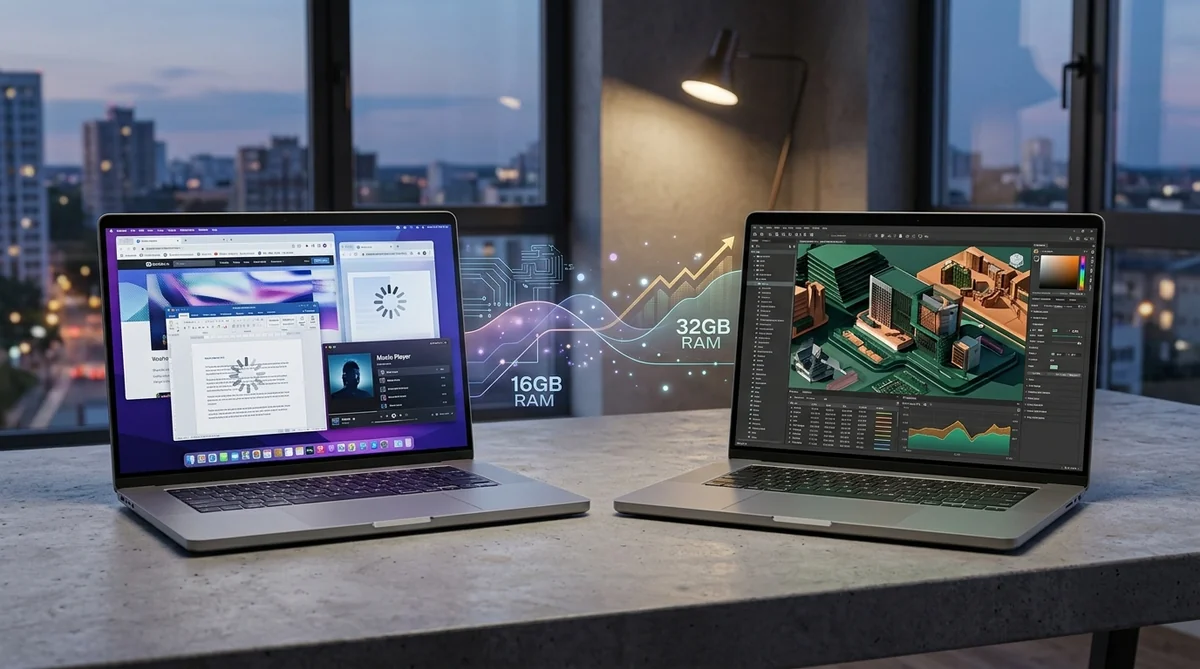
Table of Contents
If you are shopping for a new laptop right now, you have probably hit an unexpected financial wall: jumping from 16GB to 32GB of RAM suddenly costs almost as much as buying a solid second monitor. This is not just typical manufacturer greed. It is the consumer fallout of a full-blown hardware crunch: RAMageddon.
The culprit behind this price distortion is no secret: enterprise AI data centers. Memory semiconductor giants like Samsung, SK Hynix, and Micron have aggressively redirected their production lines to satisfy an endless corporate appetite for artificial intelligence infrastructure. By prioritizing specialized silicon wafers for the cloud, they slashed the production capacity reserved for standard consumer laptop memory.
That leaves buyers with a high-stakes question: should you cough up an inflated premium for 32GB today, or is 16GB plenty for real-world workloads? Numbers don't lie, but manufacturer marketing sure does. Let's break down the verified hard data before you waste your hard-earned cash.
The Real Cause Behind the Laptop Memory Squeeze
This crisis is not about shuttered factories or shipping bottlenecks. It is about a calculated reallocation of raw manufacturing capacity toward high-margin corporate clients. The big three DRAM fabricators shifted their best fabrication lines toward ultra-dense cloud modules, sidelining consumer DDR5 and LPDDR5 dies—the exact memory that keeps your daily productivity apps running without stutter.
That shift wreaked havoc on consumer laptop economics. Memory used to be a predictable, minor line item on a laptop's bill of materials (BOM). Today, DRAM alone can swallow up to 60% of the raw component budget on midrange builds. Laptop makers have passed that wholesale hit straight onto shelf prices.
What used to be a sensible, pocket-friendly checkout upgrade now feels like an aggressive upcharge. For anyone trying to stretch a tech budget, picking your memory configuration has become a high-stakes calculation.
Silicon Reallocation: Cloud Megaclusters vs. Your Everyday Rig
This markup is backed by wholesale supply contracts. Individual 16-Gbit DDR5 memory dies saw wholesale contract spikes exceeding 450%, jumping from low baseline rates into steep enterprise territory. Industry analysts at hardware vendors like TeamGroup project that the tightest pinch point will drag out through 2026 and mid-2027, with little relief expected on consumer shelves before 2028.
The technical bottleneck comes down to High Bandwidth Memory (HBM), the dense stacked silicon required to feed enterprise AI accelerators. As documented by industry analysts tracking HBM silicon and wafer economics, producing an HBM module chews through roughly three times more raw silicon wafers per bit than traditional PC DRAM. In plain English: every enterprise AI node assembled in a server rack eats the silicon equivalent of dozens of everyday consumer laptops.

🎨 Conceptual reference illustration generated with AI. Does not represent the manufacturer's official design. 🎨 Editorial concept render created with AI. Does not represent any manufacturer's proprietary facility design.
This supply tug-of-war has also ignited friction among industry executives, sparking debate over whether raw compute belongs on your desk or locked behind subscription APIs:
"Hoarding high-end DRAM in client devices where it sits idle 90% of the day is an inefficient allocation of capital and silicon compared to running it round-the-clock in shared compute clusters." — Sam Altman, CEO of OpenAI
Benchmark Reality Check: 16GB vs. 32GB
Dropping a premium on 32GB straight out of the box is a bad investment if your daily software never touches that headroom. Rigorous empirical benchmarks show that doubling system RAM from 16GB to 32GB yields practically zero measurable gain in frames per second (FPS) across the vast majority of gaming titles, and offers no noticeable speedup for standard office software.
You do not need the latest shiny upgrade. You need what actually works for your workflow. Here is how memory capacity maps to real-world performance:
| Usage Profile | Real-World Workload | 16GB Experience | 32GB Experience | Value Tier |
|---|---|---|---|---|
| Everyday Productivity | 30+ browser tabs, Slack, Spotify, massive spreadsheets | Perfectly snappy; sub-millisecond task switching | Unused headroom; zero perceptible speed difference | $ (Skip the upgrade) |
| Casual Creation & Gaming | 1080p video rendering, Lightroom RAW edits, AAA titles | Smooth; GPU and SSD dictate rendering times | Minor comfort buffer during heavy background multitasking | $$ (Optional luxury) |
| Heavy Pro Workflows | 4K ProRes timeline scrubbing, Docker containers, multi-OS VMs | Starts swapping to SSD storage; visible hitching | Rock-solid stability; eliminates disk paging lag | $$$ (Legitimate requirement) |
Let's cut through the specs:
- Daily multitasking: Running dozens of browser tabs alongside office apps and music streams operates fluidly on 16GB with low system latency.
- Standard photo and video editing: Chopping 1080p clips or tweaking high-res RAW images leans heavily on your CPU and fast NVMe storage; extra RAM past 16GB sits largely idle.
- Demanding creative and dev stacks: Heavy local virtual machines, large-scale code compilation, and multi-layer 4K/8K timelines will exceed 16GB and force Windows or macOS to swap memory to the drive, causing noticeable slowdowns. This is where 32GB earns its keep.
- The soldered memory trap: Paying inflated upgrade fees for 32GB soldered directly to the motherboard locks your cash away on overkill headroom you might never touch.
The Smart Buyer's Playbook
When component prices surge, your best move is dodging unupgradable hardware. Instead of paying hefty upfront markups for laptops with permanently soldered memory, prioritize machines that still feature user-accessible SO-DIMM slots.
📌 Importante
Always check the manufacturer's official maintenance guide or teardown documentation before buying. Confirm whether the laptop has accessible SO-DIMM slots or non-upgradable soldered LPDDR5.
Starting with a clean 16GB configuration covers everyday productivity and casual gaming today without validating inflated retail markups. If your workflow grows in two or three years, you can drop in an aftermarket stick at normal market rates—saving cash now and buying strictly what you need.
Sources
- Basic Tutorials: Memory Crisis: According to TeamGroup, the worst is yet to come — Analysis on DDR5 die pricing surges and supply forecasts extending through 2028.
- Tom's Guide: Sam Altman says your laptop RAM is a terrible allocation of scarce resources — Analysis of data center DRAM demand versus personal computing allocations.
- Startupfortune: Ai Data Centers Are Draining The Ram Supply — Coverage on enterprise AI consumption and consumer laptop pricing ripple effects.
- HBM Explained: Silicon & Wafer Economics — Technical documentation on wafer yield dynamics between HBM stacks and standard DRAM.
Written by Axel Reyes
Tech & Hardware Editors
Personaje editorial de Geekz. Prueba gadgets y tecnología cotidiana para ahorrarte compras inútiles, dinero y dolores de cabeza.
Thematic editorial persona backed by our human curation team.
Related Articles

Local AI Laptops: Nvidia and MediaTek Challenge Qualcomm's Windows on ARM Reign

Rapid Trigger & Magnetic Keyboards Tested: Real Competitive Edge or Marketing Placebo?

Nintendo Switch 2 Zelda Edition: Official MSRP, Confirmed Restocks, and How to Beat...